What's new in Payaca
What the team has shipped, newest first. Each update says what changed and where to find it in Payaca.
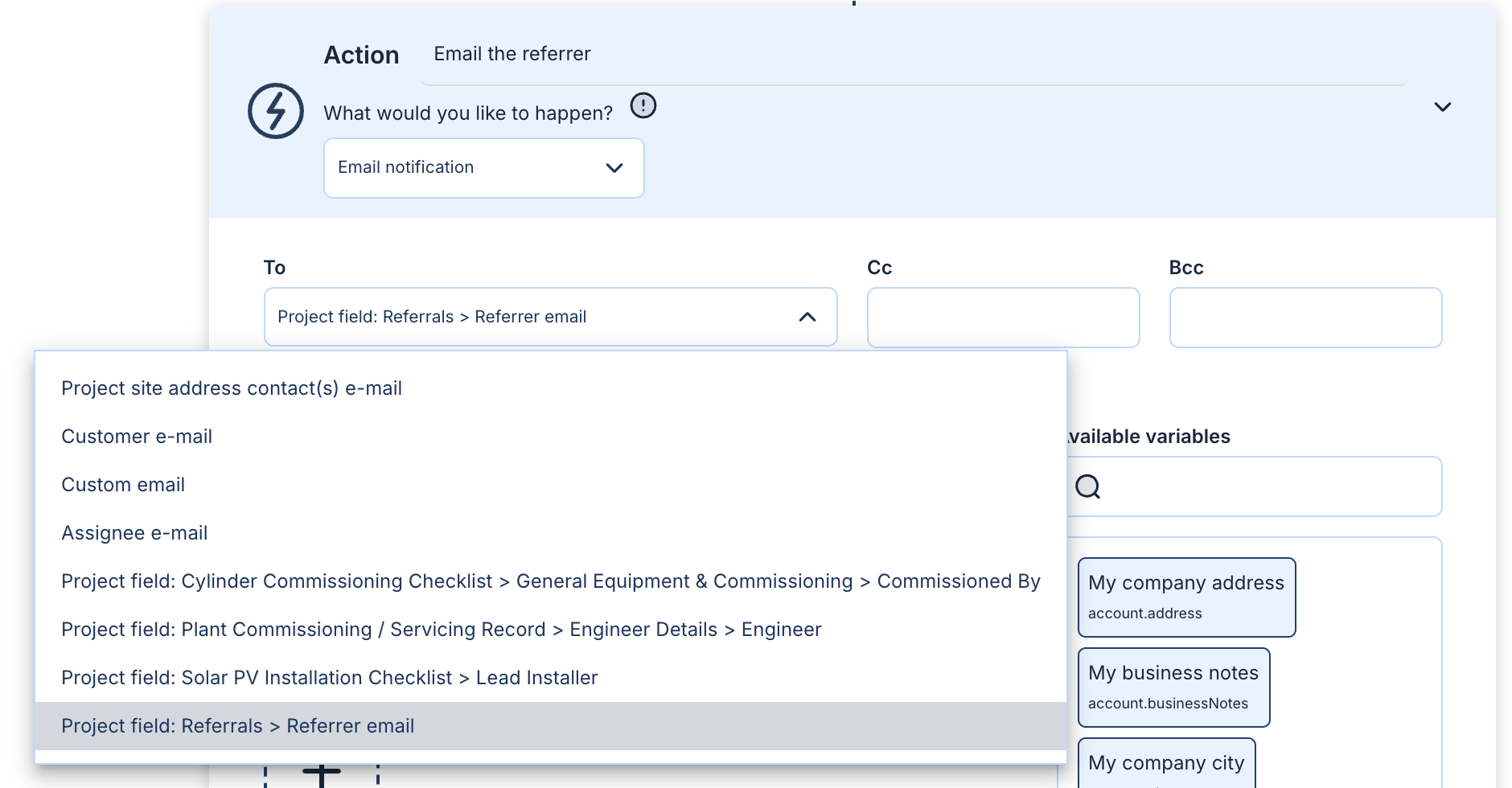
Email the people saved on each project
Automation emails can now go to an email or user field on the project, so the referral partner, subcontractor or site surveyor on each job hears from you without an automation per person.
 Martha Hearn
 Andre Matsonens
Field App notifications now take your technicians straight to the job
Each Field App notification now shows the task, project or note it is about, and one tap opens it in the right place.
 Dave Timms
Your proposals are now called contracts
Payaca now uses the word your customers expect to sign: every proposal you send is a contract.
 Liam Sobczak
Two technicians, one project: Field App forms keep both sets of answers
When two technicians change different answers on the same project, the Field App keeps both, even if they were working offline.
Martha HearnPut your license numbers on every document, email and automation
Company custom fields hold the details your business prints everywhere, such as contractor license numbers. Fill them in once and every template uses them.
Martha HearnTake a fixed amount deposit
Ask for the same deposit on every job, such as $1,000, with an optional cap for small jobs.
Liam SobczakCome back to exactly where you were on the pipeline board
Open a project from anywhere on the pipeline board, and when you come back you are in the same place, with every card still loaded.
Liam SobczakSee where a project's money stands from its header
The chart at the top of every project now splits revenue, materials and labor into done, committed and still to go.
Dave TimmsSmarter greetings when a contact name includes a title or initials
First-name greetings now handle titles, initials and couples properly
 Matt Bessey
Glow draws the roof for you
Glow now proposes editable roof faces and obstacles from the imagery, measures pitch and bearing from elevation data, and flags any angles worth checking.
Dave TimmsHide item prices and the tax breakdown on estimates
If you price by package, estimates can now show just the total, the same way your proposals already can.
 Owen Evans
See where an item will land when you drag it in the proposal builder
Dragging items shows a line where they will drop, typing descriptions is smoother, and quick pages no longer flash a loading state.
Owen EvansPlan a large team without losing your place on the schedule
The schedule's date controls stay on screen as you scroll, and the team groups you collapse stay collapsed.
Dave TimmsAdd owners, tags and notes to enquiry forms
Enquiry forms can now assign each new lead to a team member, add tags, and let the customer leave a note.
Matt BesseyDesign and quote solar in one place with Glow
Lay out the roof, estimate production with PVWatts and show the customer their monthly net-metering savings, all inside the project you are quoting.
Martha HearnYour templated automations are now fully configurable
Template automations now sit in the Automations list alongside the ones you have built, and you can edit every part of them.
Martha HearnFilter the schedule by pipeline
Filter events in the 'schedule' view by a particular pipeline
Dave TimmsShow grants on estimates and proposals
Show customers how grants will affect the amount they have to pay
Matt BesseyService plan sign-ups now capture the service address
Customers who subscribe through your service plan's public link now give the address where the service takes place.
Matt BesseyTrack the whole working day in the Field App
Choose which timelog types your team can use outside of an event, and the Field App asks what comes next whenever an event ends.
 Matt Franklin
Build Proposals with everything in view
See the Customer preview as you work, with flexible Item choices, Agent Dave, payment schedules and attachments in one place.
See the latest in a demo
Request a demo and we'll show you on the kind of projects you run, or watch short clips of the app first.